

Coding Bootcamp Platform: Curriculum, Grading, Live & Affiliates
A coding bootcamp platform combines a weekly curriculum, repo-link assignments, live coding with attendance, cohorts, instalments and alumni affiliates.
A coding bootcamp platform is a learning website owned by the bootcamp that holds a week-by-week curriculum, assignments submitted as repository links or files, live coding sessions with automatic attendance, students grouped into cohorts, instalment payments and an affiliate programme for alumni. Records, grades and payments live in one place, not across a drive, a chat group and spreadsheets.
What does a coding bootcamp platform need?
A bootcamp needs more than video hosting: content that unlocks week by week, project work reviewed by mentors, live coding sessions, cohorts with limited seats, and payments that are often split. A good platform covers all five without stitching together five separate tools.
| Bootcamp need | Problem without a platform | Module required |
|---|---|---|
| Weekly content | A shared folder released all at once; students jump to week 8 | Sections, lessons and drip release by date |
| Project work | GitHub links pasted into chat and lost | Text/file/URL assignments, grading queue, gradebook |
| Live coding | Attendance taken from Zoom screenshots | Live classes with automatic attendance and recordings |
| Cohorts | Student lists in a separate spreadsheet | Cohorts with a member list and a waiting list |
| Payments | Instalments tracked by hand, late reminders | Checkout, invoices, instalments with a minimum down payment |
| Promotion | Alumni referral codes counted manually | Referral links, affiliate commissions, leaderboard |
How do you structure a bootcamp curriculum week by week?
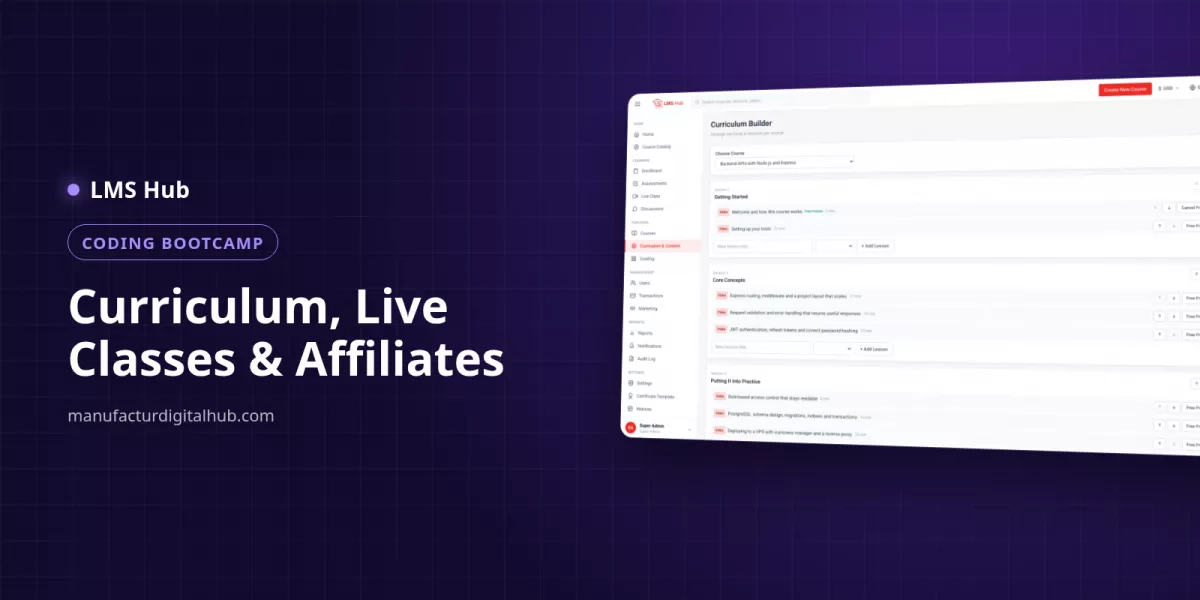
Build one section per week, fill each section with lessons, and set drip release so next week's material opens on a chosen date. Required-lesson rules stop students from skipping foundations such as Git or JavaScript basics.
Each lesson holds one of five content types: video, rich text, PDF, external embed or a SCORM package. A typical bootcamp mix:
- Video for concept walkthroughs and demos, uploaded straight to your server through the Media Library.
- Rich text for code snippets, setup instructions and the grading criteria for each project.
- PDF for cheat sheets, for example Git commands or a SQL reference.
- External embed for an online code editor or slides, as long as that service offers embed code.
- Free preview lessons in week one, so prospective students can sample the teaching.
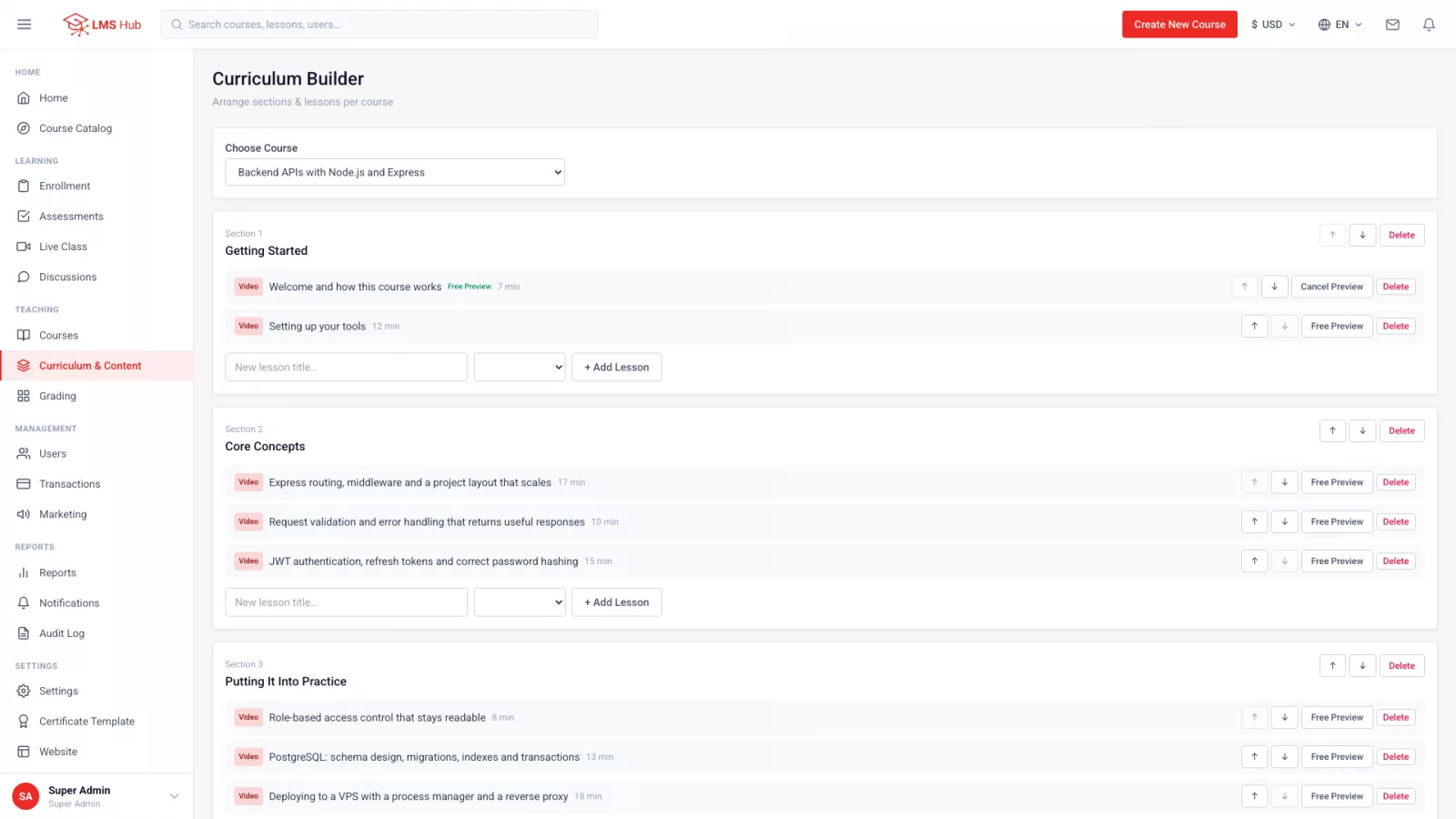
Because videos sit on your own server, plan disk space early. As a rule of thumb, a 20-minute lesson at 1080p takes roughly 300–500 MB. An example for a 12-week web development bootcamp:
| Component | Example assumption | Estimated disk space |
|---|---|---|
| Lesson videos | 12 weeks × 5 videos × 20 minutes | 60 × 300–500 MB ≈ 18–30 GB |
| Live coding recordings | 12 sessions × 60 minutes (≈ 3 twenty-minute videos) | 36 × 300–500 MB ≈ 11–18 GB |
| PDFs, images, submissions | Cheat sheets and student uploads | a few GB |
| Total per cohort | about 30–50 GB |
How do students submit and get graded on coding assignments?
Create assignments that accept a URL for the GitHub repository or deployed demo, a file for a project archive, text for a short write-up, or any combination. Every submission lands in the mentors' grading queue, the mark goes into the gradebook, and students see it only once it is released.
- Write the project brief and grading criteria in a text lesson before the assignment, for example "To-do app with CRUD and form validation".
- Create the assignment as URL (repo and demo link) plus text (student notes).
- A mentor or teaching assistant opens the grading queue and marks submissions one by one.
- When the whole cohort is marked, release grades together so everyone hears back at the same time.
For theory, use quizzes built from question banks. There are seven question types: single choice, multiple choice, true/false, short answer, essay, file upload and matching. For example, match HTTP methods to their purpose, or explain let versus const in an essay. Objective questions score automatically; essays and file uploads are marked by mentors.
Note that LMS Hub does not run or test student code automatically; programming work is reviewed by mentors, as in any code review.
How do you run live coding classes and discussion?
Schedule each session by pasting the join link from your own Zoom, Google Meet or BigBlueButton account. Attendance is recorded when a student joins, lateness is flagged against a per-session tolerance, and the recording can be published back into the curriculum as a lesson.
A sample weekly rhythm for a 12-week bootcamp:
- Monday: the new week unlocks through drip release.
- Wednesday 7:30 pm: 60-minute live coding, 10-minute late tolerance.
- Friday 11:59 pm: weekly project deadline.
- Saturday: live Q&A, with the recording added as a lesson.
The student calendar merges live sessions with assignment and quiz deadlines. Between sessions, students ask in each lesson's question thread, answered by instructors, or in the course forum. Reported posts go to a moderation queue.
How do you manage cohorts and waiting lists?
Create one cohort per intake, for example "Full-Stack JavaScript Cohort 7 – March 2027". A cohort keeps a member list and a waiting list, so applicants beyond the seat limit are still recorded for the next opening.
How can a bootcamp offer instalments and an alumni affiliate programme?
Turn on instalment plans with the maximum term and minimum down payment you choose, then give alumni referral links that earn an affiliate commission for each new student they bring in.
An illustration for a programme priced at Rp 6,000,000:
| Scheme | Calculation | Amount |
|---|---|---|
| Minimum down payment 30% | 30% × Rp 6,000,000 | Rp 1,800,000 |
| Balance in 3 instalments | Rp 4,200,000 ÷ 3 | Rp 1,400,000 each |
| Alumni affiliate commission (example 10%) | 10% × Rp 6,000,000 | Rp 600,000 per referral |
| 5 referrals from one alumnus | 5 × Rp 600,000 | Rp 3,000,000 in commission |
An affiliate leaderboard adds friendly competition, and the leads pipeline with stage history helps admissions follow up on webinar sign-ups. Payments can run through gateways such as Stripe, PayPal or Midtrans, or through manual bank transfer confirmed by an admin under Transactions.
Why does LMS Hub suit a coding bootcamp?
LMS Hub is an LMS built on Node.js, Express, Vue 3 and PostgreSQL, shipped with full, unobfuscated source code. It costs Rp 700,000 and runs on a VPS, not cPanel shared hosting. The features that matter most for a bootcamp:
- Curriculum builder with drag-and-drop ordering, five content types, drip release, required lessons and direct video upload to your server.
- Assessment: question banks, seven question types, timed quizzes, a final exam that unlocks the certificate, text/file/URL assignments, a grading queue, a gradebook and grade release.
- Ten roles, including a Teaching Assistant who can grade without touching course settings, and Marketing/Affiliate for leads and commissions.
- Per-course revenue share for mentors, with payout requests and disbursement records.
- Certificates with a public verification page by number or QR code, easy to link from a CV.
- Four interface languages (English, Indonesian, Arabic with full right-to-left layout, Hindi) and multi-currency pricing.
If students learn mostly on their phones, LMS Hub Mobile (Rp 700,000, requires LMS Hub) is available for Android and iOS. In the app, quiz answers autosave when the signal drops, and the video position is stored on the server so a lesson can be resumed on a laptop. Try the demo at lmshub.manufacturdigitalhub.com with the admin, instructor and student accounts, or ask on WhatsApp +62 812 9064 5584.
Key takeaways
- Organise the curriculum as weekly sections with drip release and required lessons so students progress in order.
- Collect assignments as repo links, files or text, mark them in the grading queue, and release grades together.
- Live classes record attendance automatically, and recordings can become lessons.
- Cohorts with waiting lists, instalments with a minimum down payment and alumni affiliates help fill each intake.
- Size your VPS disk for video; the example above needs about 30–50 GB per cohort.
FAQ
Can LMS Hub grade students' code automatically?
No. Objective quizzes are scored automatically, but programming assignments are marked by mentors in the grading queue. Students submit a repository link or project file and a mentor assigns the grade.
Can the certificate be held back until the final exam is passed?
Yes. Choose one quiz as the course's final exam and the certificate unlocks only after it is passed. Students see which exam to pass, their best score and the score needed.
How do I pay a guest mentor who teaches one course?
Set a per-course revenue share for that instructor. The mentor submits a payout request, an admin approves it, and the disbursement is recorded.
Can a mentor see another mentor's students?
No. Instructors see only their own courses and students, and this scoping is enforced on the server rather than just hidden in the interface.
What VPS does a small bootcamp need?
2 GB of RAM is comfortable, with Node.js 20 and PostgreSQL 14 or newer. Disk depends on your videos, roughly 300–500 MB per 20-minute 1080p lesson.
Try LMS Hub today
See the live demo or contact us for a free consultation.
Demo: https://lmshub.manufacturdigitalhub.com/
WhatsApp: +62 812 9064 5584