

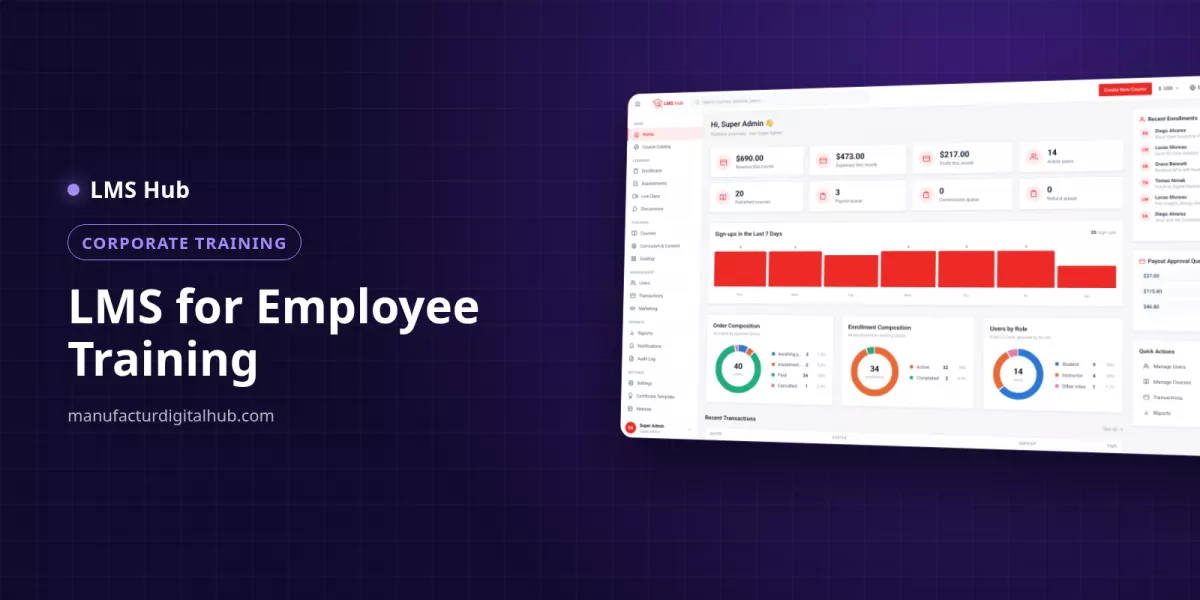
An employee training LMS combines onboarding content, competency quizzes, live sessions with attendance and automatic certificates on your own server.
An employee training LMS is an internal e-learning platform where a company keeps its onboarding material, tests competency through quizzes and assignments, runs live training with automatic attendance and issues certificates once completion rules are met. HR stops chasing staff in chat groups and stops rebuilding score spreadsheets at the end of every month.
When does a company need an LMS for staff training?
A company needs an LMS once training is recurring, involves dozens or hundreds of people, and HR has to prove who passed which module. At that point shared drives, chat groups and spreadsheets make audits slow and eat admin time.
| Symptom | Manual approach | With an LMS |
|---|---|---|
| New hires every month | A trainer repeats the same presentation | Video and PDF material prepared once, released in stages |
| Mandatory SOP or safety test | Paper test, marked by hand | Timed quiz with a pass mark, scored automatically |
| Managers want visibility | They ask HR for a report | A read-only oversight account |
| Evidence for audits | Sign-in sheets and certificates printed one by one | Recorded attendance, numbered certificates with a verification page |
| Branches in several cities | The trainer travels | Live sessions via Zoom, Google Meet or BigBlueButton, plus recordings |
How do you build an employee onboarding program in an LMS?
Build onboarding as one course with sections such as company culture, department SOPs and workplace safety, release the content in stages and mark the lessons that cannot be skipped. Finish with a final exam so the certificate only goes to people who actually understood the material.
- Create a course called "New Employee Onboarding" and split it into weekly sections.
- Upload the CEO welcome video, an office tour recording and the handbook PDF straight to the Media Library on your own server.
- Reuse SCORM packages the company already owns, or embed external material.
- Use drip release so week-two content opens only after a set date.
- Mark required lessons, such as "Anti-Bribery Policy", so they cannot be skipped.
- Enrol employees manually or group them in a cohort per intake.
Example three-week onboarding for warehouse staff (illustration):
| Week | Content | Format | Assessment |
|---|---|---|---|
| 1 | Company profile, code of conduct, leave policy | 4 x 15-minute videos + PDF | 10-question quiz, pass mark 70 |
| 2 | Goods receiving and dispatch SOP | Video + SCORM | Assignment: upload a photo of the checklist |
| 3 | Safety and forklift handling | 90-minute live session + recording | 30-question final exam, pass mark 80 |
Plan for disk space: a 20-minute 1080p video takes roughly 300–500 MB, so twelve videos like the example above need about 4–6 GB.
How do you measure employee competency with quizzes and assignments?
Measure knowledge with timed quizzes that have a pass mark, and measure practical skills with assignments submitted as text, a file or a link. Objective questions are scored automatically, while essays and assignments go to the trainer's grading queue.
| Competency | Question / assignment type | Example |
|---|---|---|
| Knows the SOP | Single choice, true/false | "Which form records returned goods?" |
| Process order | Matching | Match each stock-count step to the person responsible |
| Technical terms | Short answer | What PPE stands for, or a product code |
| Case analysis | Essay | "What do you do when a customer rejects a delivery?" |
| Field practice | File upload / assignment | Photo of an organised shelf, a visit report, a document link |
For mandatory topics such as safety, pick one quiz as the course's final exam. Attempts can be limited, or unlimited with a cooldown of, say, 24 hours so employees review before trying again. Learners are told which exam they must pass, their best score and the score required. Scores collect in the gradebook, and manually marked grades become visible only once released.
Who needs access, and how much?
Give each person a role that matches their job, then fine-tune permissions per individual. The principle: trainers see only their own learners, managers observe without editing, and only a few people hold full settings.
| Position in the company | Role in LMS Hub | What they can do |
|---|---|---|
| Head of HR / L&D | Super Admin or Operations Admin | Manage courses, users and schedules |
| Director | Director | Oversight and reports |
| Department head / QA | Supervisor | Read-only oversight of teaching quality |
| Internal trainer | Instructor | Run and grade their own courses |
| Senior staff / mentor | Teaching Assistant | Help with grading without touching course settings |
| Employee | Student | Learn, take assessments, download certificates |
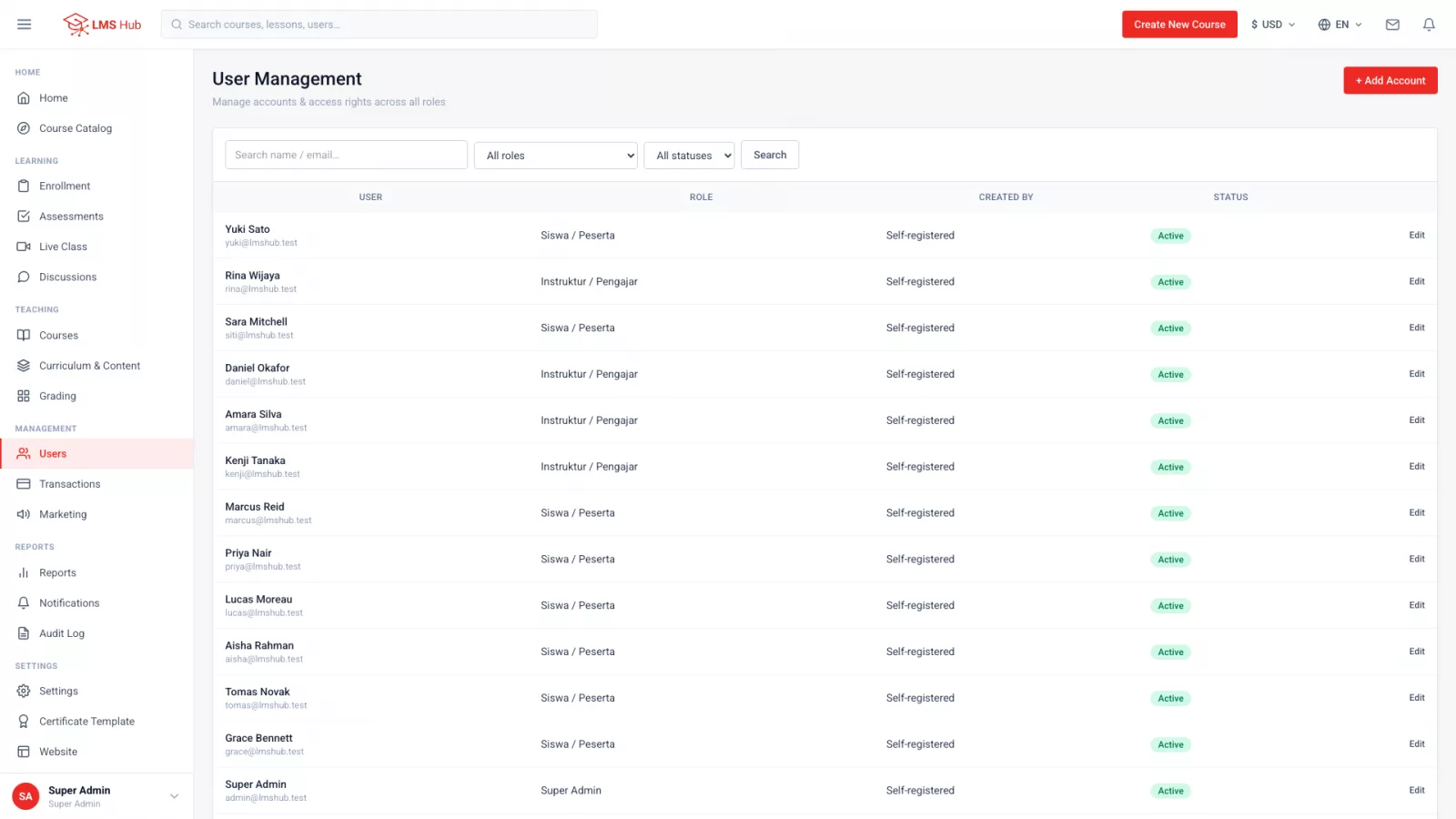
Every change that matters is written to the audit log, which since version 1.3.1 can be filtered by module. That helps when an auditor asks who changed a grade or enrolled a participant.
How can training certificates be issued automatically?
Certificates are issued when a course is completed, or only after the final exam is passed. HR designs the template once; every certificate gets a number and a public verification page reachable by that number or a QR code.
- Template: designed once with the company logo; the template editor shows placeholder hints.
- Verification: clients, auditors or future employers scan the QR code to confirm it is genuine.
- From a phone: in the LMS Hub Mobile app, employees can issue their own certificate once the progress, score and attendance thresholds are met, and share it.
Example: 45 employees finish safety training this month. Instead of preparing 45 certificate files by hand, HR lets the final-exam rule issue certificates only to those who passed.
How do you run live training across many branches?
Schedule live sessions with the company's own Zoom, Google Meet or BigBlueButton link and let the LMS record attendance when employees join. The recording can be published back as a lesson for shifts that could not attend.
- Attendance is recorded automatically; anyone joining after the tolerance, for example 10 minutes, is marked late.
- Trainers can still mark attendance manually, for instance for staff watching together in one branch meeting room.
- A calendar merges live sessions with quiz and assignment deadlines.
- The notification centre with reminder scheduling helps employees remember sessions.
Zoom, Google Meet and BigBlueButton accounts are not included; use the accounts your company already has.
Which LMS Hub features matter for employee training, and what does it cost?
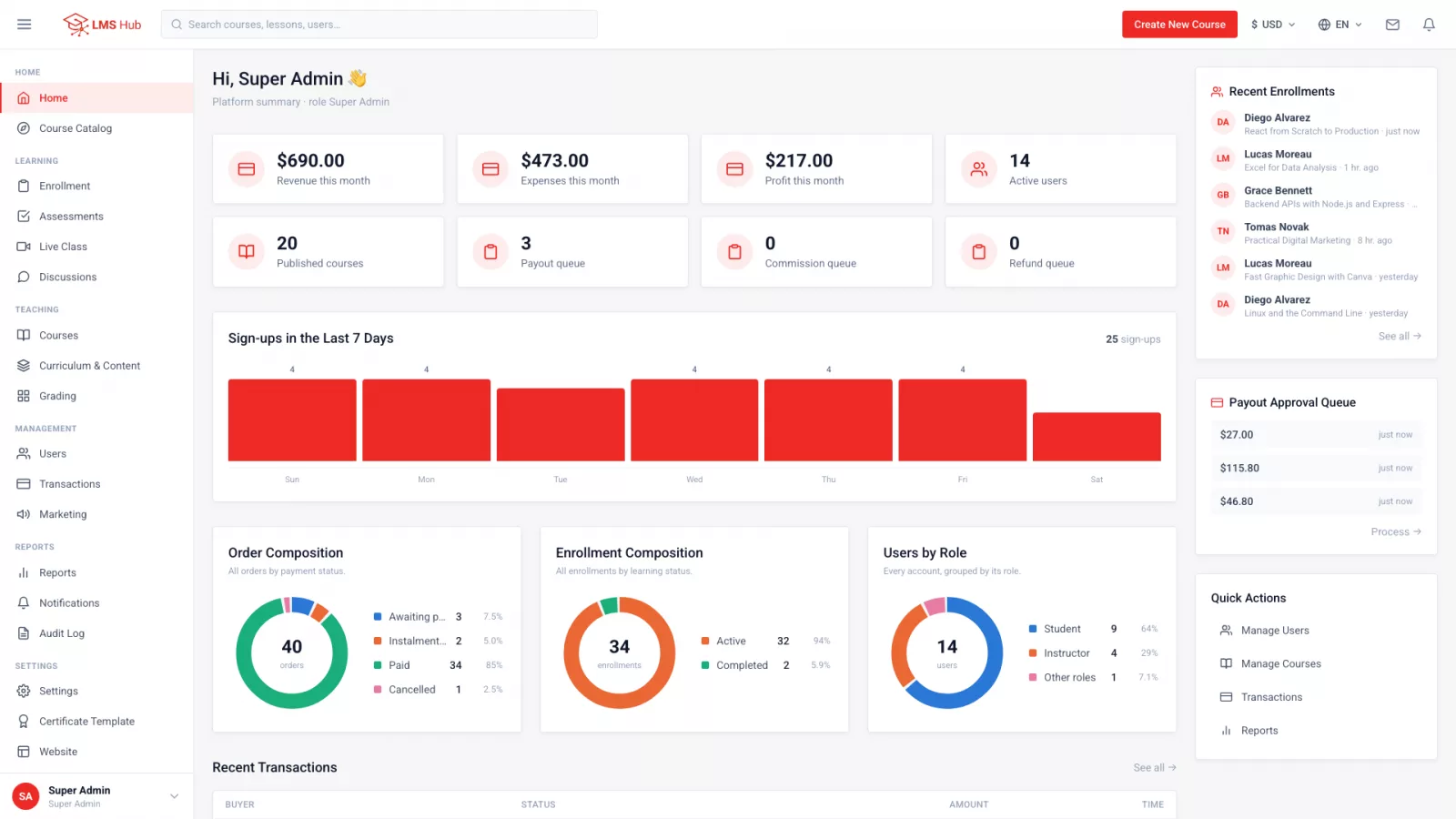
LMS Hub is an LMS built on Node.js, Vue 3 and PostgreSQL, sold with full source code and installed on your company's own VPS, so employee data and training videos stay on your server. The web platform costs Rp 700,000, paid once.
- Content: video, text, PDF, embed and SCORM per lesson; direct video upload with a progress bar; drip release and required lessons.
- Assessment: question banks, 7 question types, timed quizzes with a pass mark, a final exam, text/file/URL assignments, grading queue, gradebook and grade release.
- Access: 10 built-in roles with per-user permission checklists, instructors limited to their own courses and learners, Google Sign-In and an audit log.
- Learners: manual enrolment by admins and cohorts per intake, so no payment gateway is needed for internal training.
- Languages: English, Indonesian, Arabic (full RTL) and Hindi for multinational teams.
Cost illustration for 200 employees (example figures):
| Item | Cost |
|---|---|
| LMS Hub licence (web) | Rp 700,000 once, about Rp 3,500 per employee |
| LMS Hub Mobile (optional) | Rp 700,000 once |
| 2 GB RAM VPS, domain, SSL | Your hosting provider's rates |
| Video storage | About 300–500 MB per 20-minute 1080p video |
Installation runs through a four-screen browser installer, and six months of support is included. LMS Hub needs a VPS, not cPanel shared hosting. Try it as admin, instructor and student at lmshub.manufacturdigitalhub.com.
Key takeaways
- An employee training LMS pays off once training is recurring and HR needs auditable proof of completion.
- Build onboarding in stages with drip release, required lessons and a final exam.
- Combine objective quizzes for knowledge with file-upload assignments for practice.
- Assign roles per person: managers read-only, trainers limited to their own learners.
- Numbered certificates with QR verification save HR time and are hard to fake.
FAQ
Can LMS Hub be used only for internal training, without selling courses?
Yes. Admins can enrol employees manually or through cohorts, so payment features never need to be switched on.
Can we reuse existing SCORM e-learning packages?
Yes. SCORM is one of five lesson content types, alongside video, rich text, PDF and embed.
Can department heads monitor training without editing data?
Yes. The Supervisor role gives read-only oversight, and each user's permissions can still be adjusted through a checklist.
Where are training data and videos stored?
On your company's own VPS. Videos are uploaded through the Media Library and stored next to the application, with no third-party video service.
Can field staff learn from their phones?
Yes, in a mobile browser, or through the LMS Hub Mobile app for Android and iOS, which autosaves quiz answers when the signal drops and remembers the video position.
Try LMS Hub today
See the live demo or contact us for a free consultation.
Demo: https://lmshub.manufacturdigitalhub.com/
WhatsApp: +62 812 9064 5584