


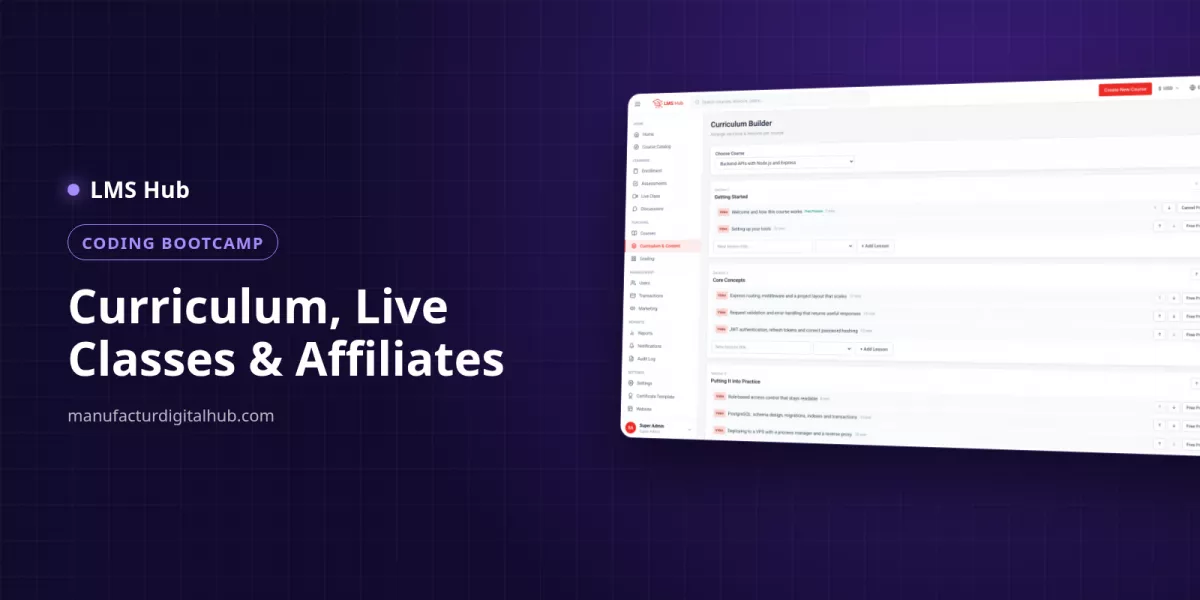
How a vocational training centre runs intakes, automatic live-class attendance, final exams and QR-verified certificates in one LMS.
An LMS for a vocational training centre manages the whole trainee journey in one place: enrolment by intake, payment, live classes with automatic attendance, a final exam, and numbered certificates that employers can verify by scanning a QR code. Staff no longer tally paper sign-in sheets or print certificates one by one.
What does a vocational training centre need from an LMS?
A training centre needs an LMS that manages trainees by intake, records attendance, tests competence and issues certificates whose authenticity can be proven. Selling courses to the masses comes second; tidy administration and proof of training come first.
The table below maps routine work to the features worth looking for:
| Routine task | Manual way | LMS feature needed |
|---|---|---|
| Opening a new intake every 2–3 months | Trainee list in a spreadsheet | Cohorts with a member list and a waiting list |
| Taking class attendance | Paper signatures, tallied weekly | Attendance recorded when a trainee joins the live class |
| Testing competence | Written exams, marked by hand | Timed quizzes with a pass mark and automatic scoring |
| Issuing certificates | Designed in a graphics app, printed one by one | Certificate template, unique number, public verification page |
| Recording trainee payments | Transfer receipts sent over chat | Manual bank transfer confirmed by an admin, instalments |
| Reporting to management | Month-end spreadsheet | Financial entries and cashflow by period |
How do you manage intakes and enrolment in an LMS?
Run each intake as a cohort: one group of trainees with a member list and a waiting list. Class capacity stays under control, and applicants who missed a seat remain on record.
Example: a welding school opens Intake 7 with 25 seats. Applicants 26 to 32 go onto the waiting list. When two trainees drop out, the admin simply moves two names across from the waiting list, with no new form to send out.
Many centres still rely on bank transfers. In the LMS the flow takes four steps:
- The trainee picks a programme and chooses manual bank transfer at checkout.
- The trainee submits the transfer reference.
- An admin matches it against the bank statement and confirms the order under Transactions.
- Course access opens; the order and invoice are kept for the books.
Expensive programmes can be offered in instalments. Illustration: a USD 400 programme with a minimum 40% down payment means USD 160 up front, then the remaining USD 240 in three payments of USD 80. Admins can also enrol trainees manually, for example scholarship holders or staff sent by a partner company, and revoke access when needed.
How can live-class attendance be recorded automatically?
Attendance is recorded automatically when a trainee joins a live session through the LMS, and anyone who joins after the session's tolerance window is marked late. Instructors can still mark or correct attendance by hand.
Example: a workplace safety theory session at 8:00 AM with a 15-minute tolerance:
| Trainee | Joined at | Status |
|---|---|---|
| Andrew | 7:58 | Present |
| Bella | 8:12 | Present (within tolerance) |
| Carlos | 8:27 | Late |
| Dina | Attended in person at the workshop | Marked manually by the instructor |
Sessions run on Zoom, Google Meet or BigBlueButton using the centre's own account; the schedule is built around the meeting link you paste in. Recordings can be published back into the curriculum as lessons, and the trainee calendar merges live sessions with assignment and quiz deadlines.
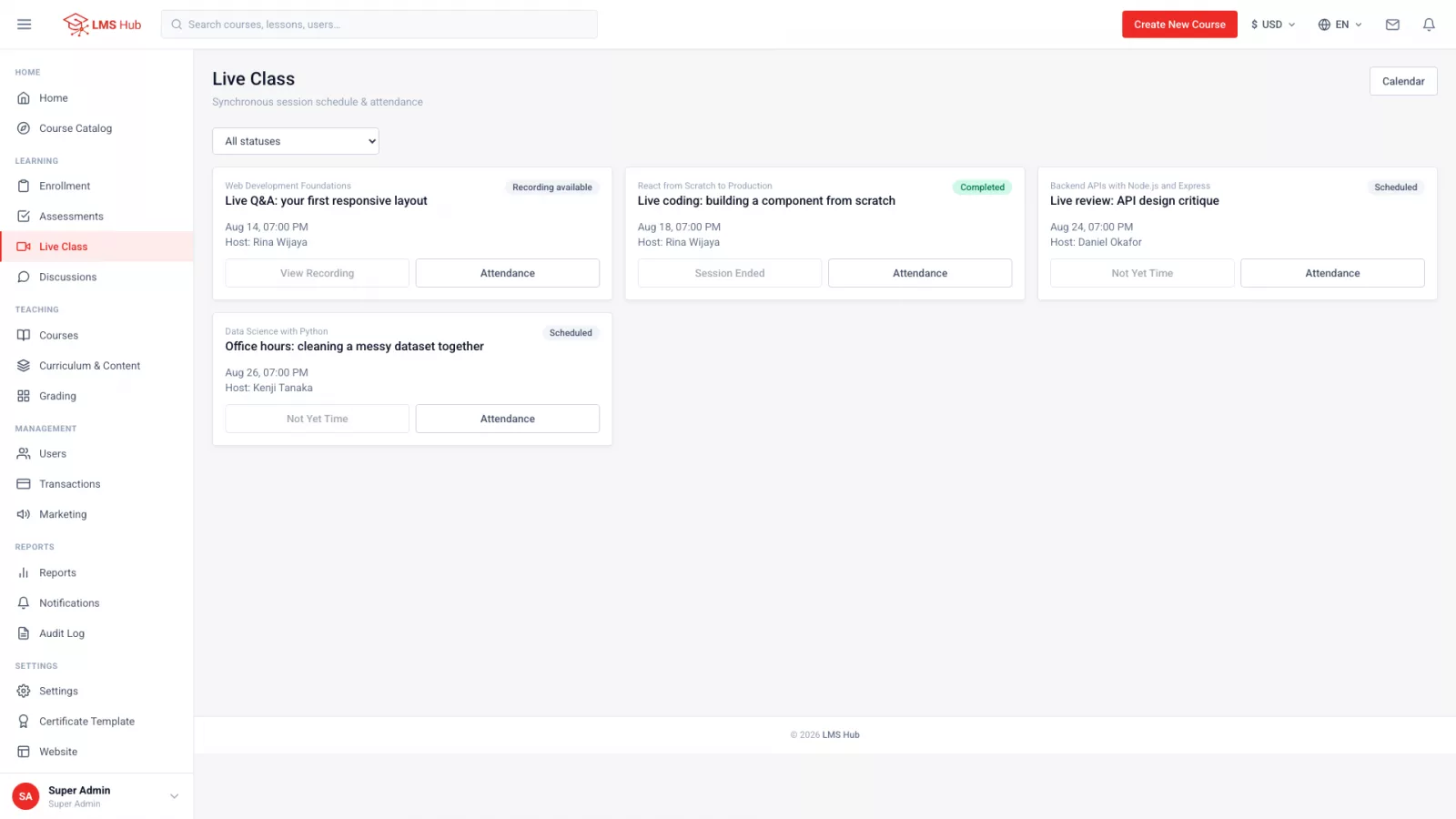
Manual marking matters because workshop, kitchen or salon practice is usually face to face.
How does a final exam unlock the trainee's certificate?
Pick one quiz as the course's final exam; the certificate unlocks only once the trainee passes it. Trainees are told exactly which exam to pass, their best score and the score needed.
How to set it up:
- Build a question bank using seven question types: single choice, multiple choice, true/false, short answer, essay, file upload and matching.
- Create a timed quiz, for example 60 minutes with a pass mark of 70.
- Set the number of attempts (limited or unlimited) and a cooldown between attempts, such as 24 hours so trainees revise before retrying.
- Mark that quiz as the course's final exam.
- For practical work, use assignments that accept text, a file or a URL (a photo of a finished weld, say), mark them in the grading queue and release grades when ready.
One point to be clear about: in the LMS Hub web platform, attendance is not an automatic certificate requirement. If your centre requires minimum attendance, say 80%, check the attendance records before the final exam date and follow up with trainees who fall short. Alternatively, publish session recordings as lessons and make them required lessons, so absent trainees still work through the material.
How do employers verify a training certificate?
Every certificate has a number and a public verification page, reachable by that number or by scanning its QR code. An employer's HR team scans the code to confirm the certificate is genuine and was issued by your centre.
The template is laid out in the built-in certificate designer, so your logo, programme name and trainee details are arranged without a separate design tool. Public verification makes forgery harder, which is a common worry for employers hiring course graduates.
Keep the distinction clear: an LMS certificate is a training certificate issued by your centre. Official or national competency certification still goes through the accredited bodies in your country.
How can management track finances and transactions?
Management can review transactions, financial entries, cashflow by period and report snapshots straight from the dashboard, without waiting for a spreadsheet from the admin. Orders are recorded in one base currency, so reports stay consistent.
Access is set by role. A typical split in a mid-sized centre:
- Institution Head: oversight, finance and reports.
- Operations Admin: day-to-day work such as enrolment and scheduling, without financial control.
- Supervisor: read-only oversight of teaching quality.
- Instructor: own courses and trainees only, including grading.
- Teaching Assistant: helps with grading without touching course settings.
Each user carries a permission checklist you can tick and untick, and an audit log covers every change that matters. If instructors are paid on revenue share, there is per-course revenue share plus payout requests approved by an admin.
What does LMS Hub offer training centres, and what does it cost?
LMS Hub is a web LMS platform with full source code for Rp 700,000, installed on the centre's own VPS. The cohorts, live-class attendance, final exam, QR-verified certificates and financial reports described above are all included.
- Five lesson content types: video, rich text, PDF, embed and SCORM; video uploads straight to your server through the Media Library.
- Drip release by date and required-lesson rules, which suit an intake timetable.
- Eight ways to take payment, including Stripe and PayPal (your own merchant account needed) and manual bank transfer with no gateway at all.
- Four interface languages: English, Indonesian, Arabic (right-to-left) and Hindi.
- Browser installation at /install in four screens.
Technical requirements: a VPS (not shared hosting) with Node.js 20 and PostgreSQL 14 or newer, a domain and SSL; 2 GB of RAM is comfortable. Allow disk space for video, roughly 300–500 MB per 20-minute lesson at 1080p. Try the LMS Hub demo with the admin, instructor and student accounts. For trainees who mostly learn on their phones there is LMS Hub Mobile (Rp 700,000, requires LMS Hub). Questions: WhatsApp +62 812 9064 5584.
Key takeaways
- Run each intake as a cohort with a member list and a waiting list to keep capacity under control.
- Live-class attendance is recorded automatically with late flags; in-person practice is marked manually.
- Make one quiz the final exam: the certificate unlocks only after a pass.
- Numbered certificates with a QR code let employers verify your graduates.
- Attendance is not an automatic certificate condition on the web platform, so check attendance before the final exam.
FAQ
Can a training centre take payments without a payment gateway?
Yes. The trainee chooses manual bank transfer and submits a reference, and an admin confirms it under Transactions. No third-party account is needed.
Can trainees retake the final exam if they fail?
Yes. Attempts can be unlimited with a cooldown between them, and the course can also be set so trainees may restart it from the beginning.
Is attendance recorded for in-person classes?
Not automatically. Automatic attendance applies when trainees join a live session; for in-person classes the instructor marks attendance manually.
Can LMS Hub run on ordinary cPanel hosting?
No. LMS Hub is a Node.js application that needs a VPS or cloud server with root or sudo access; Ubuntu 22.04 or 24.04 is recommended.
Can an instructor see another instructor's trainees?
No. Instructors see only their own courses and trainees, and this restriction is enforced on the server rather than just hidden in the interface.
Try LMS Hub today
See the live demo or contact us for a free consultation.
Demo: https://lmshub.manufacturdigitalhub.com/
WhatsApp: +62 812 9064 5584